Automatic sizing
The help specifies that xdim is meaningful only if w and h are not used. A blank w= and h= appears in the demo URL.
Configure the DataMatrix symbol format, encoding, quiet zone, alignment, colors and image dimensions using the BCMaker CGI generator.
GET /cgi-bin/dmtxcgidHTTP / HTTPSSpecify the data and optional barcode settings through the BCMaker generator endpoint. The official CGI help confirms GET and POST are both accepted.
https://www.bcmaker.com/cgi-bin/dmtxcgidSet encoded data and pixel sizing.
| Parameter | Description | Accepted values | Default |
|---|---|---|---|
data | Information to encode into the DataMatrix symbol. | URL-encoded text or numeric data | 1234567 |
w | Output image width. | Pixel value | 100 |
h | Output image height. | Pixel value | 100 |
xdim | Size of a DataMatrix module; used when image dimensions are not provided. | Pixel size; ignored when w and h are used | 5 |
Control DataMatrix dimensions and data encoding method.
| Parameter | Description | Accepted values | Default |
|---|---|---|---|
fmt | Preferred DataMatrix format / matrix dimensions. | Integer 0–30 | 0 |
mode | DataMatrix encoding mode. | Integer 0–6 | 0 |
Control rotation, quiet zones, alignment and colors.
| Parameter | Description | Accepted values | Default |
|---|---|---|---|
angle | Rotation of the DataMatrix code. | 0, 90, 180, 270 degrees | 0 |
quiet | Draw a quiet zone around the symbol. | 0 = Hide; 1 = Show | 1 |
qsize | Quiet zone size. | Nonnegative value (0 and above) | 1 |
alignh | Position the barcode horizontally in the image. | Integer 0–3 | 1 |
alignv | Position the barcode vertically in the image. | Integer 0–3 | 1 |
bcolor | Background color expressed as an RGB hex value. | 000000–ffffff, no # prefix | ffffff |
fcolor | Color of the DataMatrix modules. | 000000–ffffff, no # prefix | 000000 |
Built-in CGI diagnostics.
| Parameter | Description | Accepted values | Default |
|---|---|---|---|
help | Returns documentation for DataMatrix CGI parameters. | help=1 | — |
debug | Provides diagnostic details for processing errors. | Example: debug=1 | — |
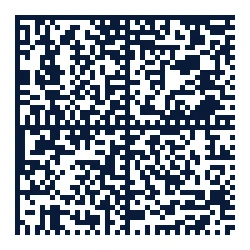
This example encodes 1234567 and includes the settings from the BCMaker demonstration request.
https://www.bcmaker.com/cgi-bin/dmtxcgid?data=1234567&fmt=0&mode=0&angle=0&quiet=1&alignh=1&alignv=1&bcolor=ffffff&fcolor=000000&qsize=1&xdim=5&w=&h=&submit=+Generate+DataMatrix+&debug=1The help specifies that xdim is meaningful only if w and h are not used. A blank w= and h= appears in the demo URL.
The server lists numeric ranges for fmt and mode but does not define the meaning of each individual value on its help page.
quiet switches clear margins on or off; qsize controls their size.
Defaults are taken from the DataMatrix CGI help page. They may differ from individual demo form presets.
Reference: Official CGI Help. CGI help defaults.
Open the BCMaker generator and choose DataMatrix.