guard versus guarg
The server help documents the field as guard. The demo GET URL used on this site sends guarg. Both spellings are shown as received, but compatibility of guarg with the server is not established by the help page.
Generate popular 1D barcode types including Code 128, EAN, UPC and Code 39. Customize alignment, human-readable text, colors and sizing.
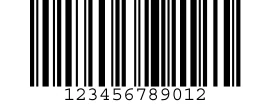
GET /cgi-bin/barcgidHTTP / HTTPSSpecify the data and optional barcode settings through the BCMaker generator endpoint. The official CGI help confirms GET and POST are both accepted.
https://www.bcmaker.com/cgi-bin/barcgidSpecify barcode content, symbology and image dimensions.
| Parameter | Description | Accepted values | Default |
|---|---|---|---|
data | Text or digits encoded as a linear barcode. | URL-encoded text appropriate for the selected barcode type | 1234567 |
btype | Select barcode symbology by numeric identifier. | Integer 0–21; see symbology table below | 7 |
w | Output barcode picture width. | Pixel value, optional | — |
h | Output barcode picture height. | Pixel value, optional | — |
xdim | X-dimension (width of the smallest bar). | Pixel units; used for zero-degree rotation when w is not set | 2 |
Select how symbology-specific characters and checks are handled.
| Parameter | Description | Accepted values | Default |
|---|---|---|---|
c128 | Code 128 character set selection. | 0–3; 0 = Auto, 1 = A, 2 = B, 3 = C in demo | 0 |
cchk | Calculate an optional check digit when supported. | 0 = No; 1 = Yes | 1 |
schk | Show an existing check digit in the readable text. | 0 = Hide; 1 = Show | 1 |
stst | Show start/stop characters for types that use them. | 0 = Hide; 1 = Show | 0 |
ntxt | Convert nonprinting characters into readable text. | 0 = No; 1 = Yes | 1 |
Position the barcode and configure rendering, ratios and colors.
| Parameter | Description | Accepted values | Default |
|---|---|---|---|
angle | Barcode rotation. | 0, 90, 180, 270 degrees | 0 |
quiet | Include clear quiet zones around the bars. | 0 = Hide; 1 = Show | 1 |
balign | Horizontal barcode alignment. | 0–2 | 2 |
talign | Alignment of the human-readable text. | 0–5 | 0 |
bcolor | Background RGB color. | 000000–ffffff, no # | ffffff |
fcolor | Bar / foreground RGB color. | 000000–ffffff, no # | 000000 |
tcolor | Human-readable text RGB color. | 000000–ffffff, no # | 000000 |
guard | Draw special guard bars for EAN/UPC types. | 0 = Hide; 1 = Show | 1 |
text | Show human-readable barcode text. | 0 = Hide; 1 = Show | 1 |
tdown | Place readable text above or below bars. | 0 = Above; 1 = Below | 1 |
fh | Height of readable-text font. | Numeric font height | 14 |
bred | Reduce or expand effective bar width. | -99 through 99 | 0 |
w2n | Wide-to-narrow bar-width ratio. | 2 through 4 | 2.5 |
Access diagnostic messages and parameter documentation.
| Parameter | Description | Accepted values | Default |
|---|---|---|---|
help | Display help for the linear barcode CGI script. | help=1 | — |
debug | Display information about processing errors. | Example: debug=1 | — |
Send the numeric ID using the btype request parameter. These labels follow the BCMaker generator menu.
| Parameter | Description | Accepted values | Default |
|---|---|---|---|
0 | Interleaved 2 of 5 | Barcode type ID | — |
1 | Industrial 2 of 5 | Barcode type ID | — |
2 | Code 39 | Barcode type ID | — |
3 | Code 39 Extended | Barcode type ID | — |
4 | Code 11 | Barcode type ID | — |
5 | Codabar | Barcode type ID | — |
6 | MSI | Barcode type ID | — |
7 | Code 128 | Barcode type ID | — |
8 | EAN Add-on 2 | Barcode type ID | — |
9 | EAN Add-on 5 | Barcode type ID | — |
10 | EAN-8 | Barcode type ID | — |
11 | EAN-13 | Barcode type ID | — |
12 | EAN-14 | Barcode type ID | — |
13 | UPC-A | Barcode type ID | — |
14 | UPC-E | Barcode type ID | — |
15 | UCC/EAN-128 | Barcode type ID | — |
16 | SSCC-18 | Barcode type ID | — |
17 | PostNet | Barcode type ID | — |
18 | Planet | Barcode type ID | — |
19 | Code 93 | Barcode type ID | — |
20 | Code 93 Extended | Barcode type ID | — |
21 | ITF-14 | Barcode type ID | — |
This example encodes 1234567 and includes the settings from the BCMaker demonstration request.
https://www.bcmaker.com/cgi-bin/barcgid?data=1234567&btype=7&angle=0&quiet=1&balign=2&talign=0&bcolor=ffffff&fcolor=000000&tcolor=000000&guarg=1&text=1&tdown=1&stst=1&schk=1&cchk=1&ntxt=1&c128=0&fh=14&bred=0&w2n=2.5&xdim=2&w=&h=&submit=+Generate+Barcode+&debug=1The server help documents the field as guard. The demo GET URL used on this site sends guarg. Both spellings are shown as received, but compatibility of guarg with the server is not established by the help page.
The server help lists stst=0 as its default. The example generator form explicitly sends stst=1.
Parameters such as c128, guard and w2n matter only for certain barcode formats.
According to CGI help, xdim applies when w is not supplied for a zero-degree barcode.
Reference: Official CGI Help. CGI help defaults.
Open the BCMaker generator and choose Linear Barcode.